How to reduce video size on iPhone
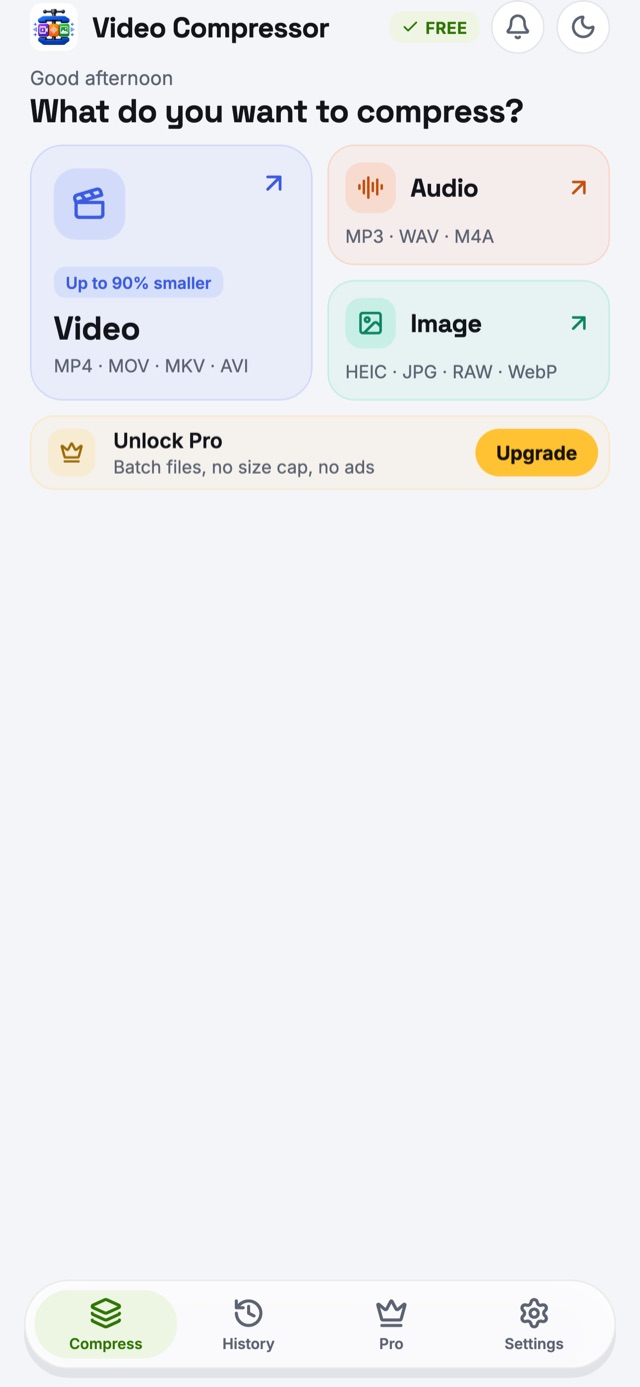
- Install Video Compressor from the App Store and open it.
- Tap Video and choose clips from your library. iOS shares only the videos you pick — the app never needs access to your whole library.
- Pick a preset — WhatsApp share, Email 25 MB, Discord 10 MB — or type an exact size. The new size appears before you start.
- Tap Compress now and keep the app open until the ring completes. iOS pauses long encodes in the background.
- Tap Save to Gallery to add the smaller copy to Photos, or Share it straight to Messages, Mail or WhatsApp.
Compress videos straight from the Photos app
Select one or more videos in Photos, tap Share and choose Compressor in the row of apps. If it isn't there, scroll to the end of the row, tap More and add it. The videos open in the app ready to compress — the same works from Files, WhatsApp and Mail.
Why iPhone videos are so large
By the estimates in the iPhone's own Camera settings, a minute of video takes about 60 MB at the default 1080p and 30 fps, about 170 MB in 4K at 30 fps, and about 400 MB in 4K at 60 fps — so even a short clip is over the limits of email, Discord and many chat apps. Re-encoding a 4K clip to 1080p, which is all a phone screen shows, often makes it 80–90% smaller with no visible difference on a phone.
Convert MOV to MP4 on iPhone
iPhone videos are saved as MOV, which some Windows PCs, websites and older TVs won't play. Choose MP4 under Format to compress and convert in one step. You can also turn a clip into a GIF, or extract its sound as MP3 or M4A.
Convert HEIC photos to JPG
iPhone photos are HEIC, which many websites and forms reject. Pick photos, choose JPG, PNG or WebP, and save — with the location removed if you prefer. The Instagram and Web optimized presets also resize photos for posting.
HDR, HEVC and quality
Video Compressor uses the iPhone's hardware encoder for H.264 and HEVC (H.265) up to 4K. HDR footage stays HDR when you keep HEVC, and is tone-mapped to look right everywhere else. HEVC files can be up to 50% smaller than H.264 at the same visible quality.
Private on iPhone
Your videos are never uploaded: there is no server and no account. Saving asks only to add photos. The free version shows ads, and iOS asks once whether to allow tracking — choosing Ask App Not to Track changes nothing about how the app works. Read the privacy policy.
iPhone questions
How do I reduce the size of a video on iPhone?
Open Video Compressor, tap Video and choose the clip from your library. Pick a preset such as WhatsApp share or Email 25 MB, or type the size you need, then tap Compress now and save the smaller copy back to Photos. Your original stays as it is.
How do I compress a video on iPhone to send by email?
Use the Email 25 MB preset. It sizes the video to fit common 25 MB attachment limits, such as Gmail’s, so you can attach it in Mail or Gmail instead of sending a link.
Can I compress videos on iPad?
Yes. The same app runs on iPhone and iPad with iOS or iPadOS 15 or later, and the purchase of Pro carries across devices on the same Apple ID.
Why should the app stay open while it compresses on iPhone?
iOS only allows a short time for work in the background, which is not enough to re-encode a long video. Keep the app open until the progress ring finishes; short clips and photos finish in seconds.
Can I convert HEIC photos to JPG on iPhone?
Yes. Pick your HEIC photos, choose JPG, PNG or WebP under Format, and save. You can keep or remove the location data as you convert.
Does it work offline on iPhone?
Yes. Everything is compressed on the iPhone itself, so it works in airplane mode. A connection is only used for ads in the free version and for App Store purchases.