Our catalogue

Apps & games we publish

Every title below is free to download from Google Play, fully usable without paying, supported by in-app advertising, and offers optional one-time in-app purchases. TV Remote is also on the App Store for iPhone and iPad as a $2.99 paid download with no advertising. Nothing here is a subscription.

Placeholder cards still to fill in

TV Remote below is live. The remaining cards are templates — replace the name, description, emoji, category badges and Google Play link for each app you publish, and delete any you do not need. Google's reviewer will click these links, so make sure each one resolves to a live Play Store listing.

TV Remote app icon

TV Remote for Android TV & Google TV

Utility Free on Android $2.99 on iPhone Contains ads In-app purchases

Turns your phone into a full remote for Android TV and Google TV — D-pad, volume, keyboard typing, voice search, app shortcuts and casting, all over your own Wi-Fi. On Android and on iPhone and iPad.

Details & screenshots
🎯

[[APP_2_NAME]]

Arcade Free Contains ads In-app purchases

[[APP_2_DESCRIPTION]] — a short, honest description of the game, its core loop and who it is for.

Get it on Google Play
🔥

[[APP_3_NAME]]

Habit tracker Free Contains ads In-app purchases

[[APP_3_DESCRIPTION]] — a short, honest description of the app, its gamified loop and who it is for.

Get it on Google Play
📚

[[APP_4_NAME]]

Word Free Contains ads In-app purchases

[[APP_4_DESCRIPTION]] — a short, honest description of the game, its core loop and who it is for.

Get it on Google Play

[[APP_5_NAME]]

Idle Free Contains ads In-app purchases

[[APP_5_DESCRIPTION]] — a short, honest description of the game, its core loop and who it is for.

Get it on Google Play
🔮

More on the way

In development

New titles are in production now. Follow our Google Play developer page to see them the day they launch.

Follow on Google Play
Featured title

TV Remote for Android TV & Google TV

Your phone, as the remote you lost. Pair it to the television over your own Wi-Fi and you get the whole remote face — D-pad, volume, keyboard, voice search, app shortcuts and casting. There is no account to create and no server to sign into.

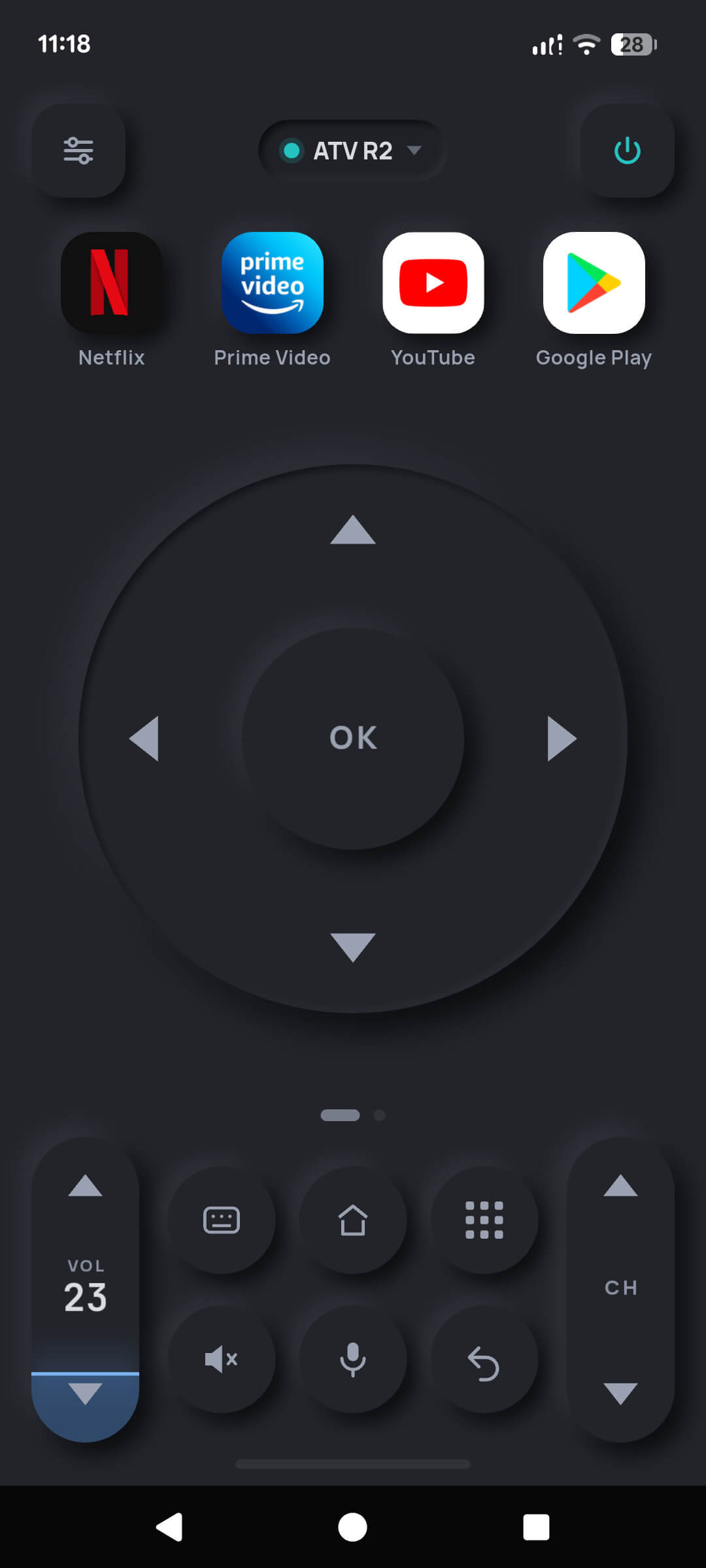
A D-pad you can hit without looking

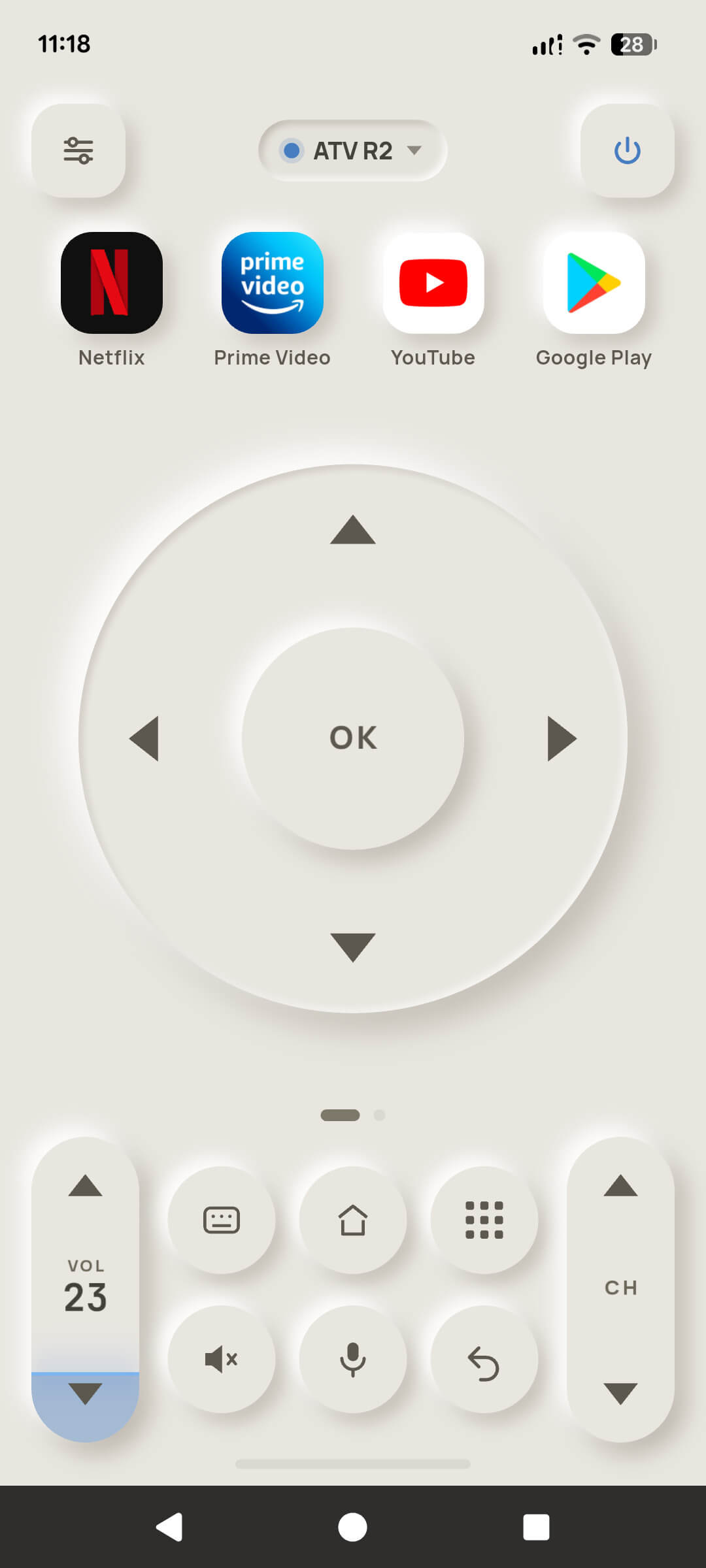
A full directional ring with a centre OK, sized so your thumb finds it in the dark. Haptic feedback on every press, and hold-to-repeat for long lists.

Volume, channels and power

A tall volume rocker showing the television's real volume number, plus mute, channel up/down and power. Your phone's own volume buttons work too.

Type with a real keyboard

Search boxes, Wi-Fi passwords and logins get typed on your phone's keyboard and land in the television's text field. No hunting letters with a D-pad.

Voice search, transcribed on the phone

Hold the microphone and say what you want to watch. Speech becomes text on your own device, then goes into the television's search box. The recording never leaves the phone.

Your apps, one tap away

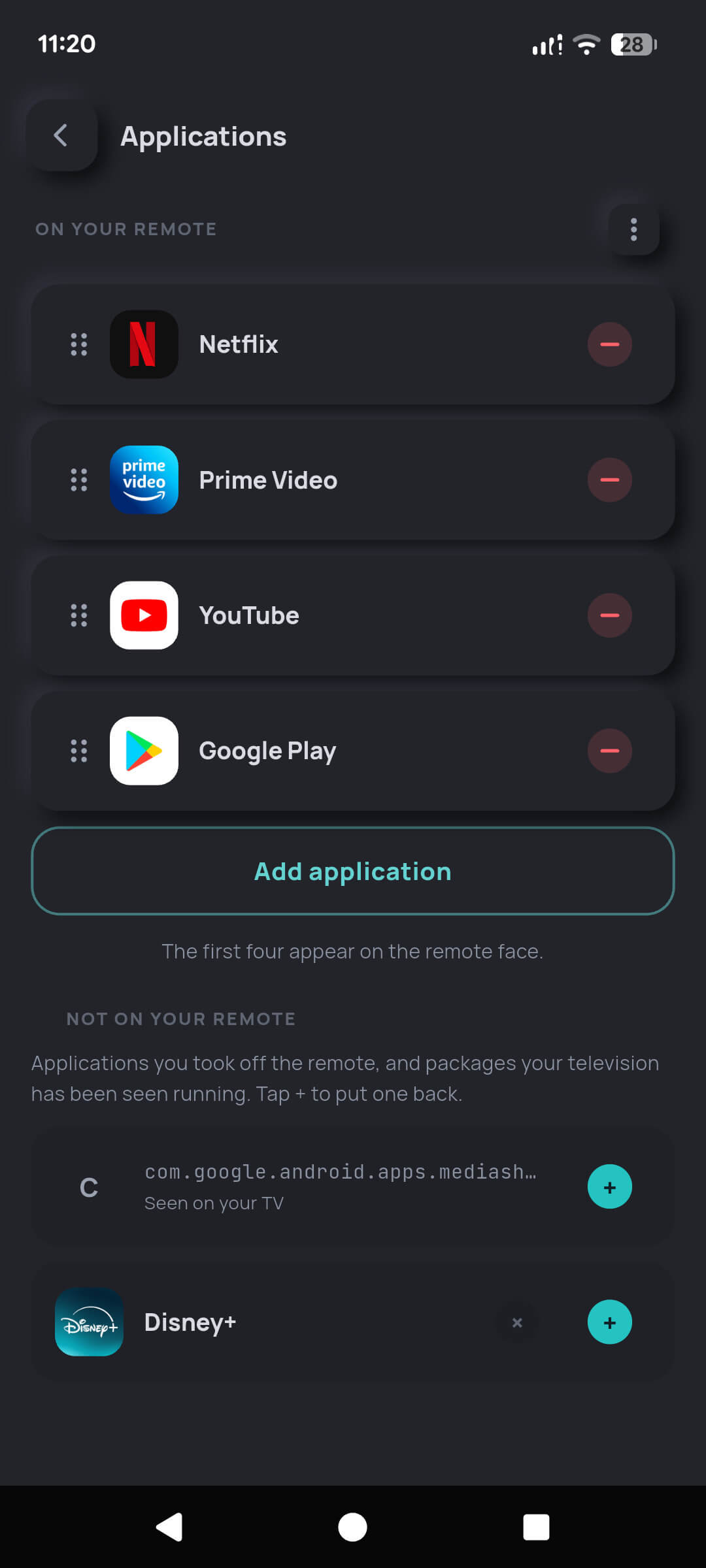
Netflix, Prime Video, YouTube, Disney+ or whatever you actually watch, pinned to the top of the remote and reorderable.

Cast to the big screen

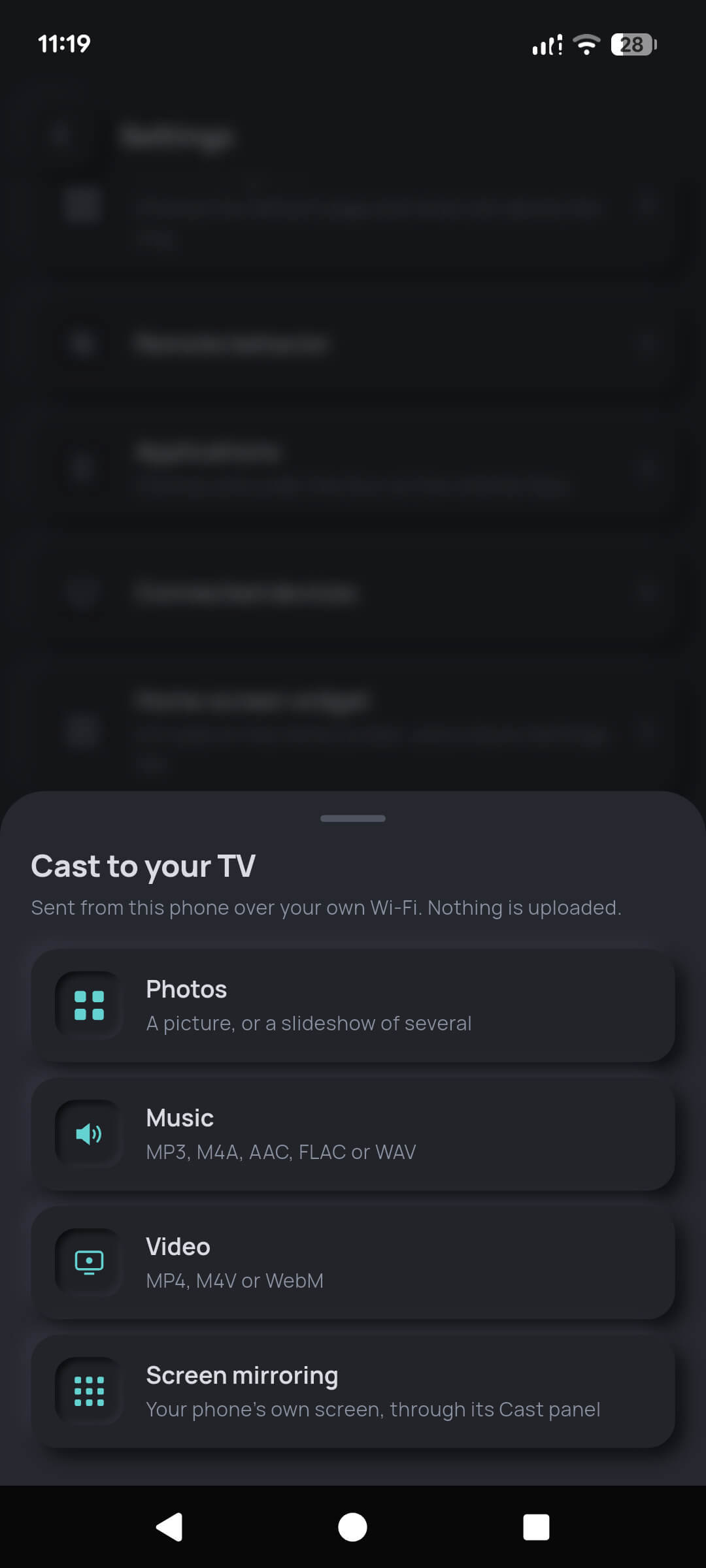
Send pictures, a slideshow, a track or a film from your phone to the television over your own Wi-Fi. The file is served from the phone — nothing is uploaded.

What it actually looks like

TV Remote D-pad on a phone in dark theme
The D-pad, dark theme
The same TV Remote D-pad in light theme
Light theme and follow-system
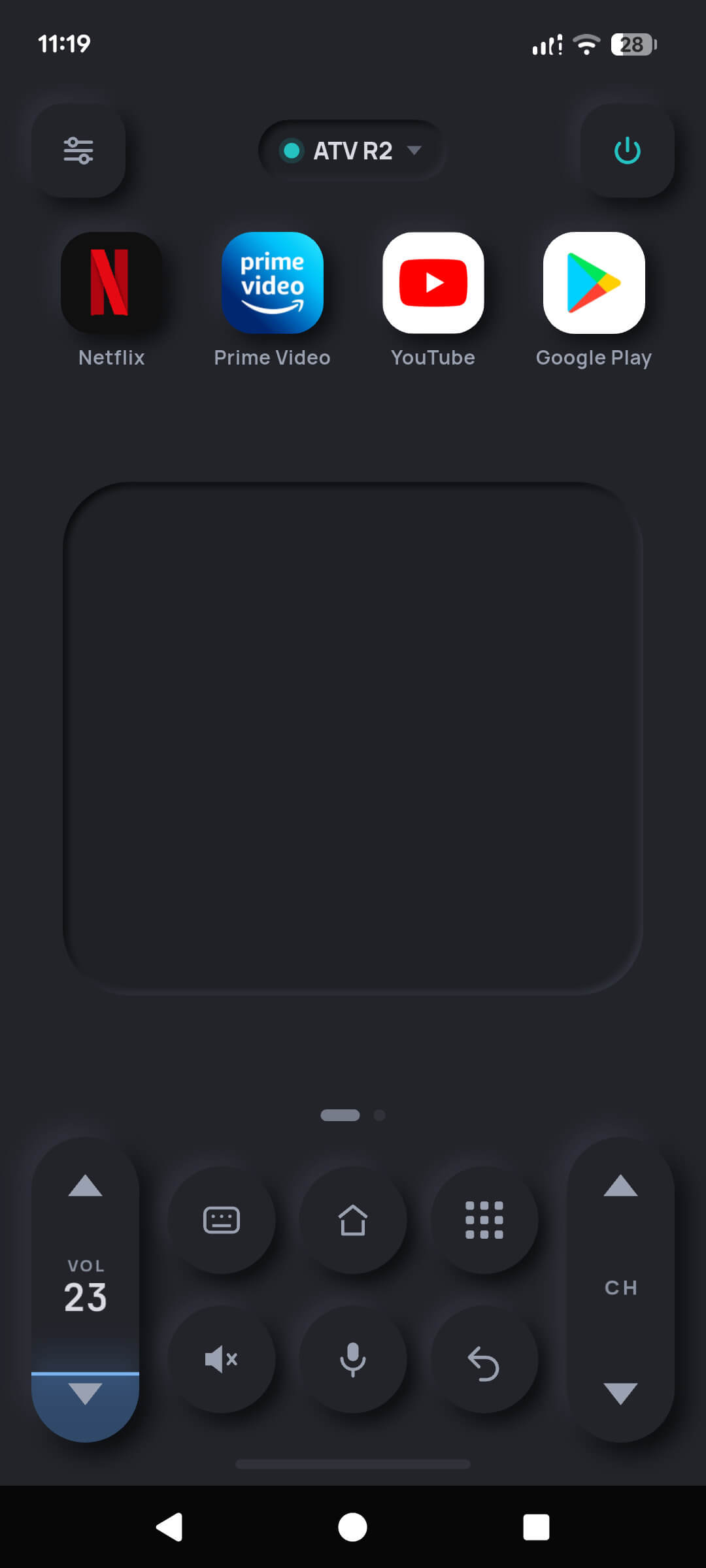
TV Remote touchpad page for swipe navigation
Touchpad for swipe navigation
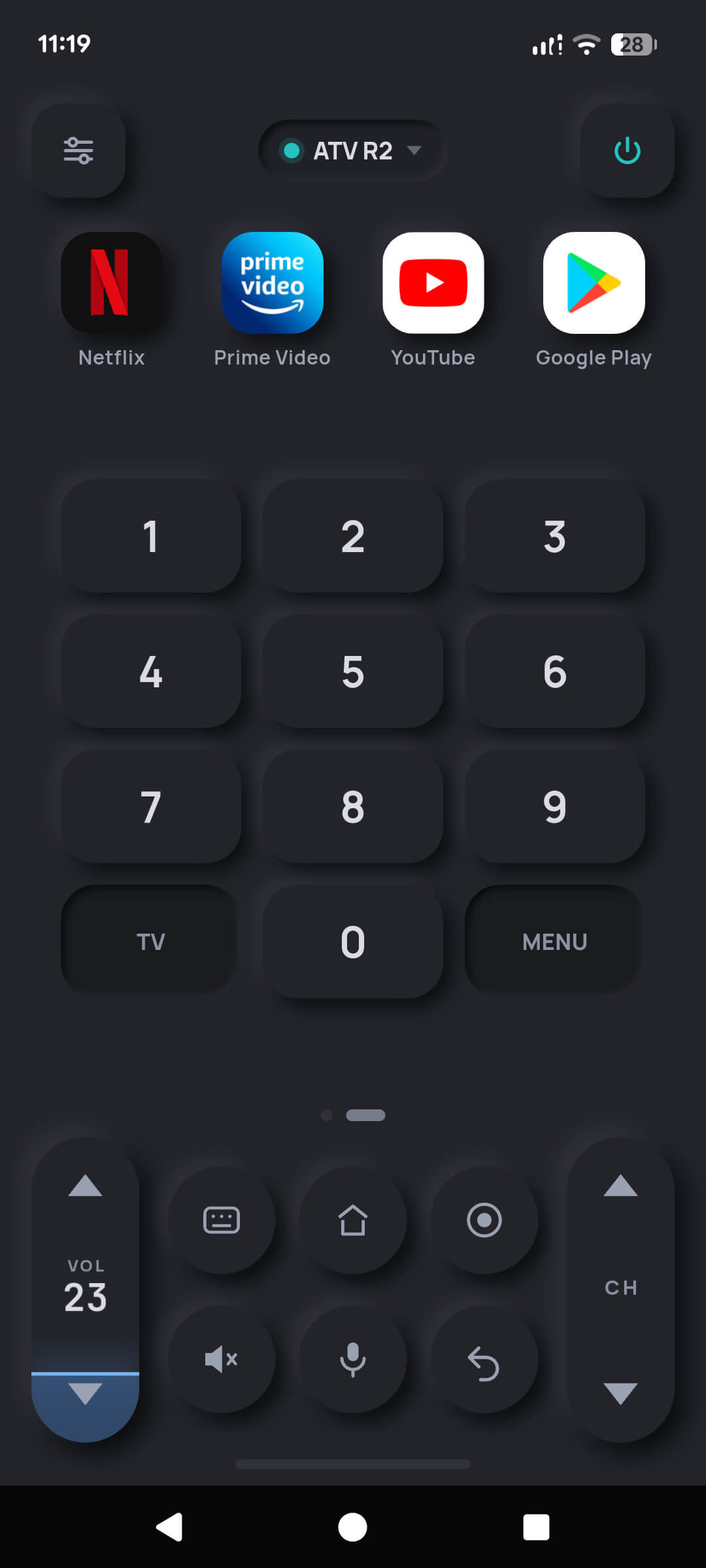
TV Remote number keypad for entering channels
Number keypad for channels
App shortcuts pinned to the top of the TV Remote
Your four apps, one tap away
Casting photos, music and video from the phone to a television
Cast photos, music and video
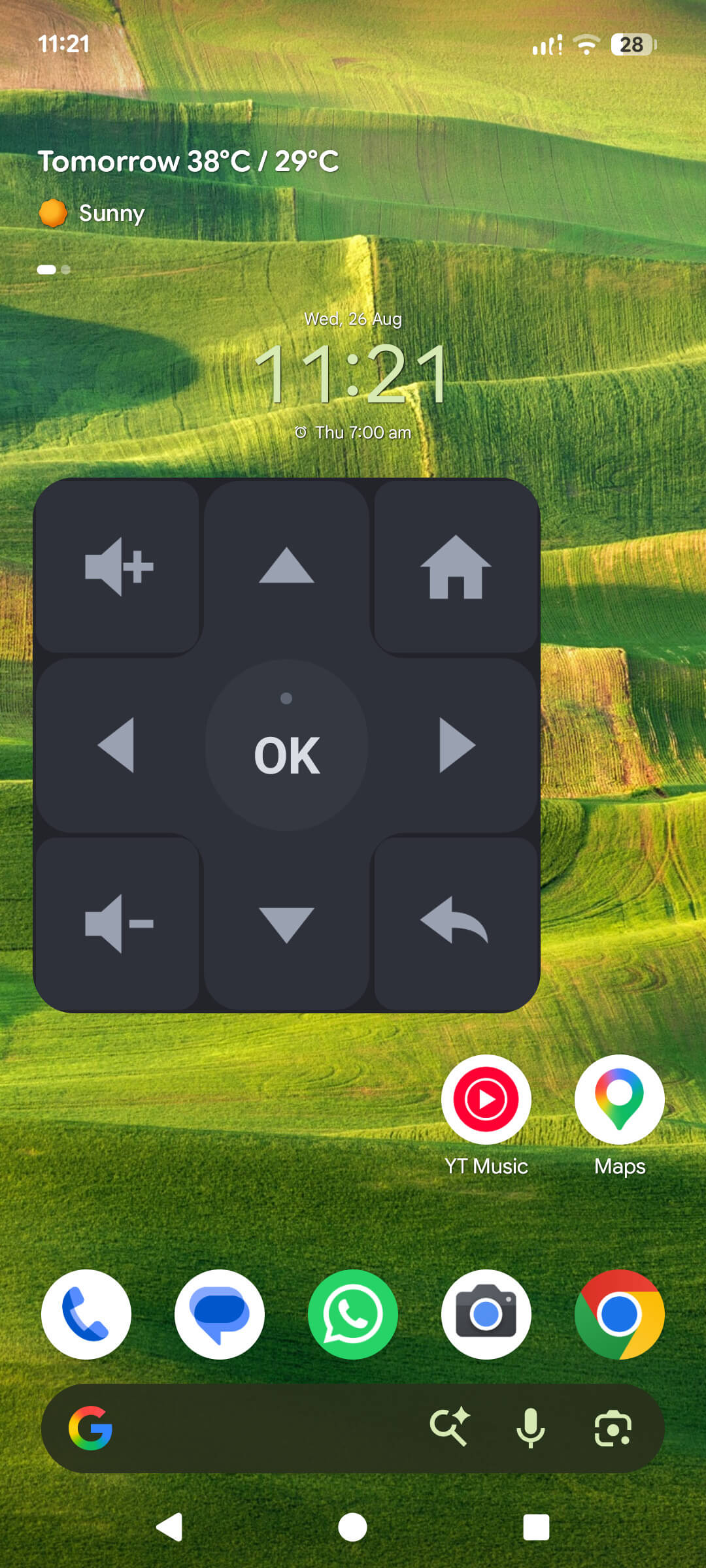
Android home-screen widget showing live remote keys
Home-screen widget (Pro)
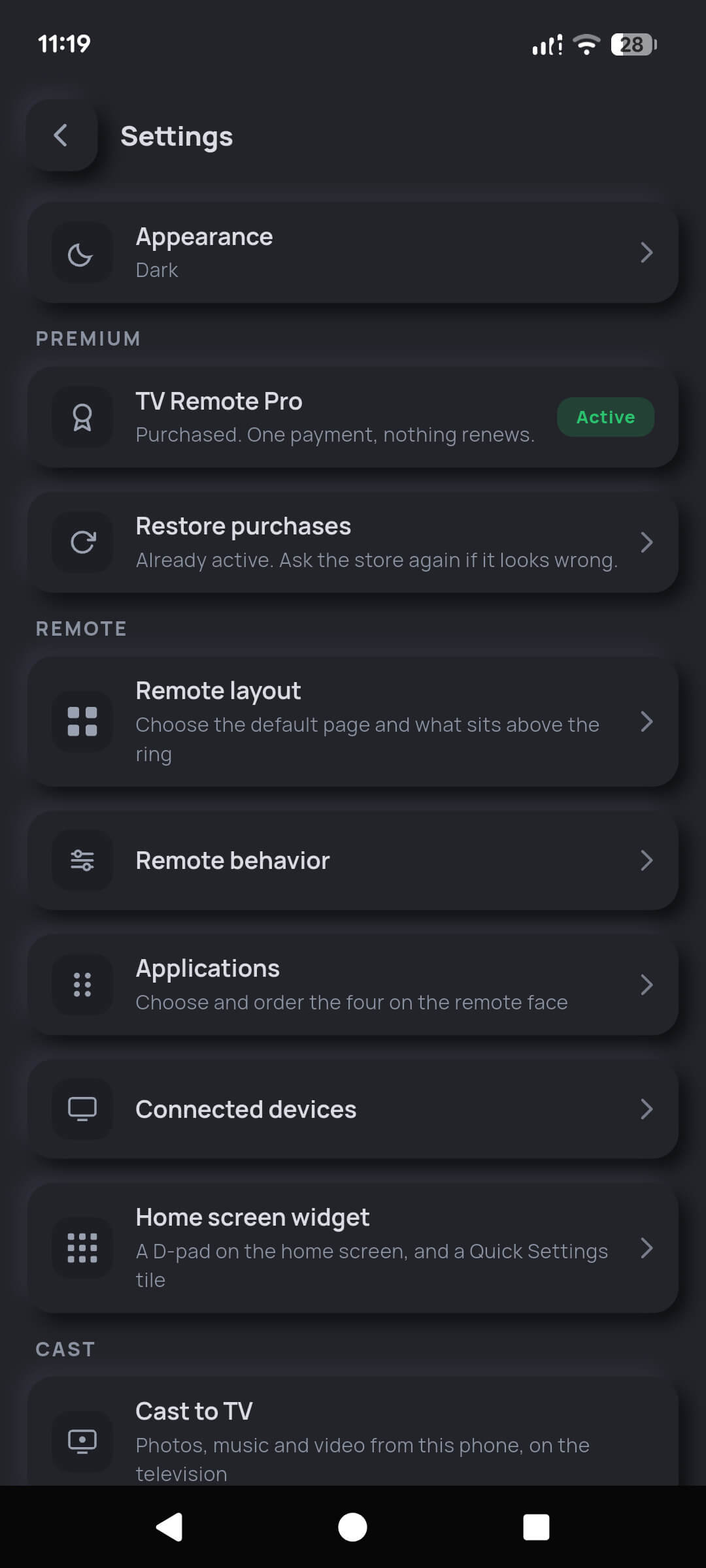
TV Remote settings screen showing layout and behaviour options
Layout and behaviour settings

Scroll sideways to see every screen.

Free on Android

$0

Not a trial, and not time-limited. Nothing in the press path is ever gated.

  • Discovery, pairing and unlimited pairings
  • The full remote face — D-pad, volume, power, OK, back, home
  • Touchpad and number keypad pages
  • Keyboard typing and voice search
  • Four app shortcuts, chosen and reordered
  • Dark, light and follow-system themes
  • Photo and music casting, plus one free video cast
  • Two saved televisions

Supported by advertisements — never on a key press, never while pairing.

TV Remote Pro (Android)

$1.99 once

A single payment, not a subscription. Nothing renews, and it restores on any device using the same store account.

  • Everything in Free, with no advertisements anywhere
  • Unlimited video casting to the television
  • Now Playing controls — artwork, scrubbing, queue, receiver volume
  • Android home-screen widget with working keys
  • Unlimited saved televisions
  • Automations — sleep timer and Wake TV
  • Screen mirroring on Android, through the system Cast panel

$1.99 is the United States price. Your store shows the equivalent in your own currency, including local taxes where they apply.

On iPhone and iPad there is no free tier and no in-app purchase: TV Remote is a $2.99 one-time download with every feature included and no advertising at all.

Works with

  • Google TV televisions from Sony, TCL, Hisense, Philips and Sharp
  • Android TV televisions from Sony, Philips, TCL, Hisense, Xiaomi, Toshiba, Panasonic and others
  • Chromecast with Google TV (HD and 4K)
  • NVIDIA SHIELD TV and SHIELD TV Pro
  • Xiaomi Mi Box S, Mi TV Stick and Android TV boxes

Does not work with

  • Roku televisions and players
  • Samsung Tizen televisions
  • LG webOS televisions
  • Amazon Fire TV sticks and televisions
  • Apple TV
  • Infrared-only sets — a phone without an IR blaster cannot reach them

These platforms use entirely different, closed protocols.

Requirements

Android 7.0 (API 24) or newer, or iOS/iPadOS 15.0 or newer. Phone and television must be on the same Wi-Fi network with device-to-device traffic allowed — mobile data cannot reach your television. No IR blaster needed, and you do not need to point the phone at anything.

Consistent across the catalogue

What every one of our apps has in common

Free to download

No upfront price on any Google Play title. You never pay to install or to finish the game. TV Remote on the App Store is our one paid download.

Ad-supported

Banners, interstitials between levels, and rewarded video you choose to watch.

Optional purchases

One-time only, billed by Google Play or the App Store. Nothing recurring, nothing to cancel.

Offline friendly

Core gameplay works without a connection wherever the design allows it.

No account required

Play immediately. Sign-in is optional and only used to sync progress across devices.

Data safety declared

Every listing carries a completed Google Play Data Safety section matching our privacy policy.

Age rated

Content ratings assigned through the IARC questionnaire and shown on each listing.

Actively supported

Crash reports and reviews are monitored, and updates ship for as long as players are active.

Something not working?

Tell us which app, what device you are on and what happened. We will take a look.